



























 No visibility
You can't see all the rules, styles and components your agents are using.
We create a that establishes a single source of truth on one canvas. You are made aware of changes and we make sure your agents don't drift.
 Problem
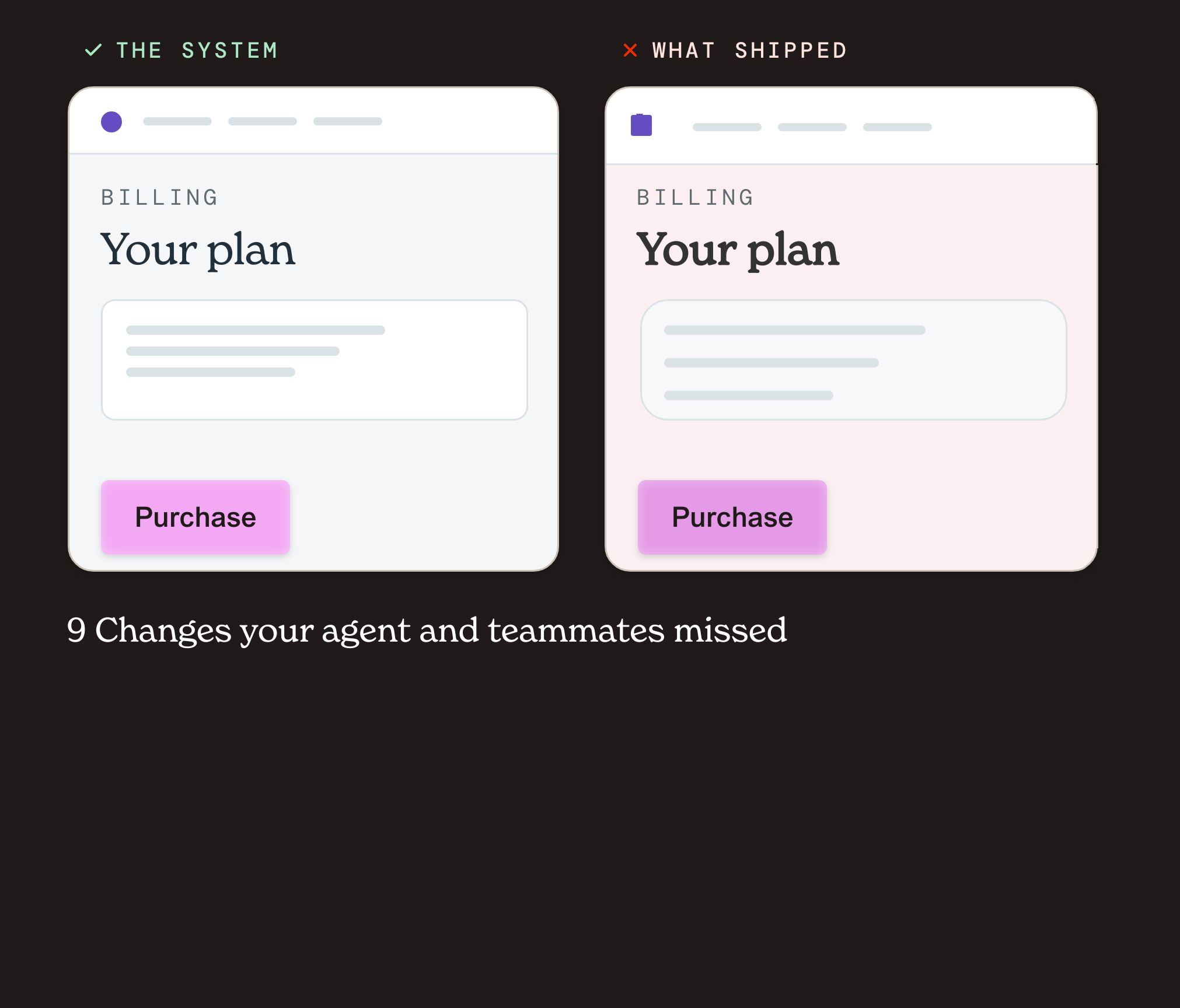
Each iteration drifts from your design, more than the last. Over time it adds up.
After
 0
prompts
No visibility
You can't see all the rules, styles and components your agents are using.
 Too many versions
Code, Figma, and your agents rule files each drift into a slightly different system.
 Drift adds up
Every off-system value gets copied, and you pay for it later in QA and bug hunts.
Sound familiar?
Real posts from people fighting the drift.
 Most vibe coded frontends have inconsistent spacing, random font sizes, and
colors scattered everywhere.
Vox
@Voxyz_ai
stop telling Claude Code/Codex "the colors look off". stop telling
Claude Code/Codex "the font's ugly". stop telling Claude Code/Codex
"the spacing's weird".
rico
@_heyrico
If you skip this step, Claude will invent a system for you. You will not like
what it invents.
Prajwal Tomar
@PrajwalTomar_
Your AI agent keeps building UI that looks like garbage because it has zero
design context.
Manish Kumar
@Manixh02
Why does every AI-built website look the same? Purple gradients. Inter font.
Three boxes. Rounded corners.
Ole Lehmann
@itsolelehmann
ai-built sites are such a slop aesthetic at this point purple gradient, inter
font, same hero layout every single time...
Tom Dörr
@tom_doerr
The biggest mistake in vibe coding is prompting the agent to fix errors instead
of rolling back
The biggest problem with AI-generated UI right now? It all looks the
same.
Amal Roy
@RoyAmal
AI-generated UI has a massive problem. Most of it looks like: "the same
shiny SaaS dashboard."
Aakash Gupta
@aakashgupta
Every vibe-coded app ships with the same six visual tells.
Replay
@replayio
When code fails, the agent guesses. It patches. It rewrites. Sometimes it makes
things worse.
Cameron Adams
@themaninblue
Every AI-generated site looks the same. Same layouts, fonts, feel.
CyrilXBT
@cyrilXBT
Everyone can spot an AI-generated website within two seconds. Claude defaults
to the same patterns every time.
 Solution
Grum shows your team what's really in the code and lets them review every change, while your agents stay on-system by following the rules.
 For humans
See what your code really ships, clean it up once, and let Grum test it for drift automatically.
 For agents
Grum lives inside Claude, Codex, and Cursor, so your agents reuse what exists instead of drifting.
 Connect GitHub, Figma, MD files, or a live URL
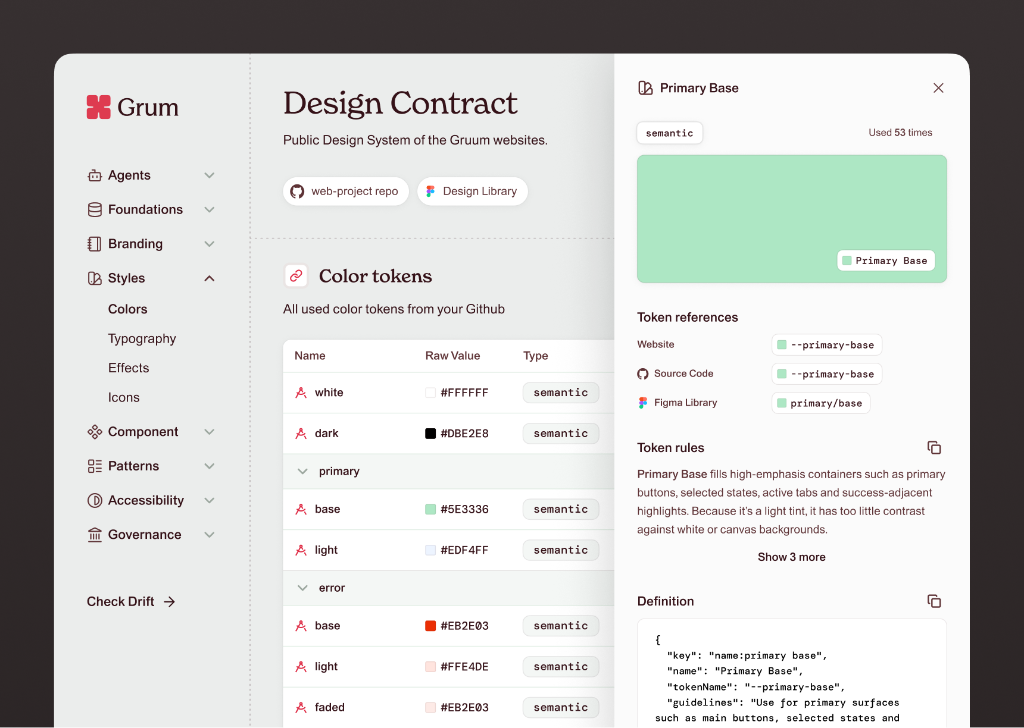
See every style, component, and pattern your code ships
Merge near-identical colors and styles into one token
Connect your agents through MCP and CLI
Scale your team without re-training them and their agents
 Keep every agent-facing rule and guideline in Grum, synced to your repo
Manage multiple design systems in one workspace
Govern all the components and drift reviews across your company
Start with an already setup design system from scratch
 Getting started
Connect Claude, Codex, or Cursor, or use npx for CLI.
First, install Grum in Claude, Codex or Cursor.
 System Generation
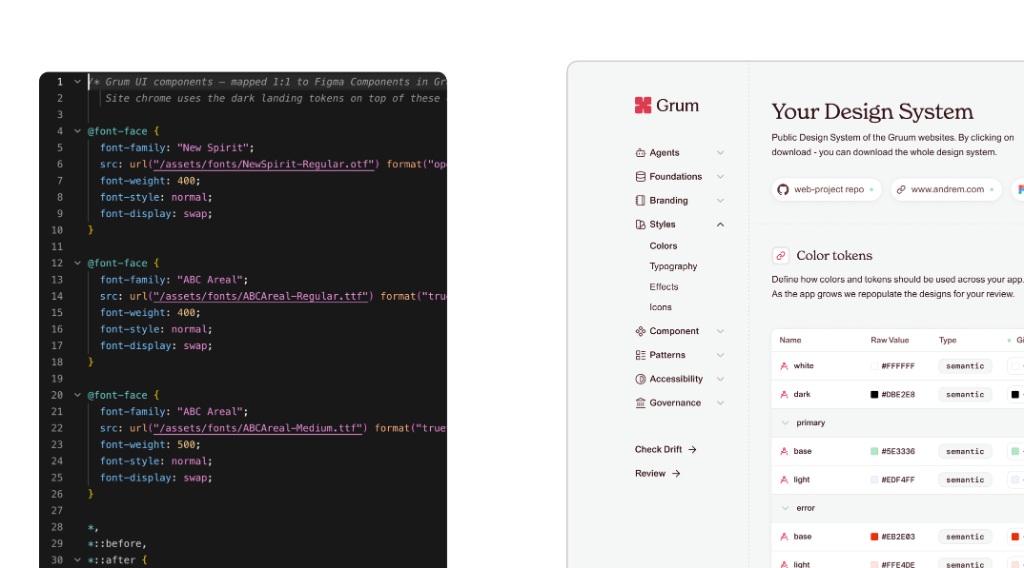
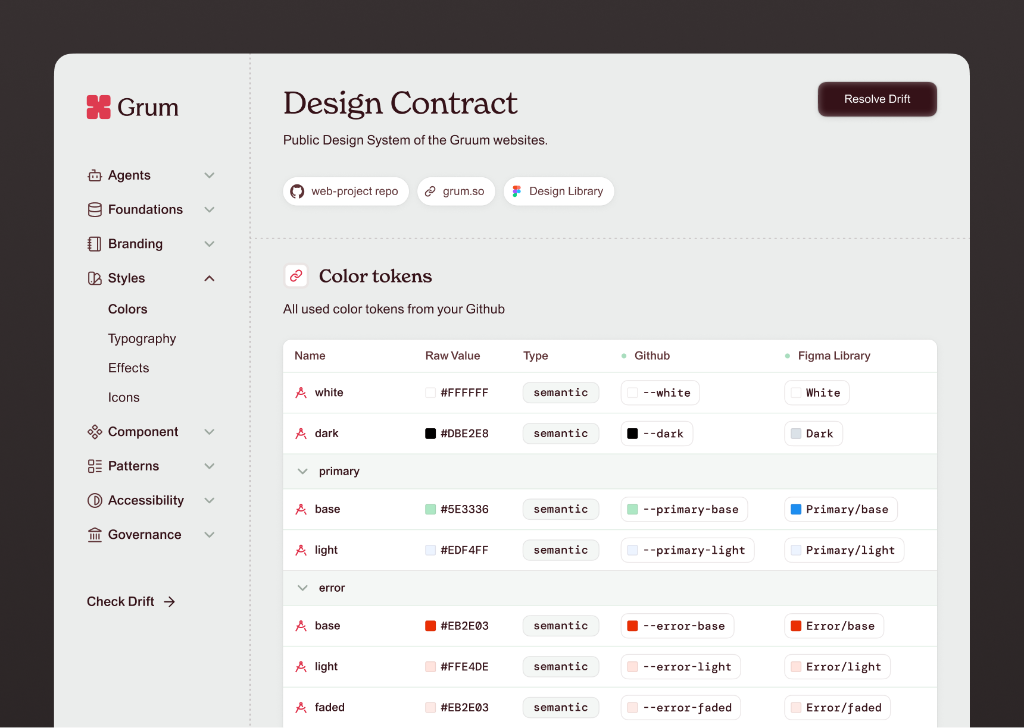
Skills aren't enough. We combine CSS, code, and skills, to create contracts you can visualize. Click colors or components to see variants, tokens, and location.
Team Awareness
New components and styles go to review before they spread. Real drift gets flagged with a fix prompt.
 Pricing
Use Grum free during the alpha in exchange for your feedback. We'll help you set up your design
Under the hood
Each value is deterministically evaluated in milliseconds. Grum nudges agents while making sure designers are informed.
 Grum
 Styles
 Components
 Patterns
 Guidelines
 Color
tokens
 Buttons
Connected Grum and loaded your design contract, v14: 12 tokens, 4 buttons.
Grum is set up. Every UI change I make gets checked against it.
Certainty
Agents get confused by contradictions in rules or CSS that compounds over time. Grum matches the implementation to the contract, every time.
 Audience
One contract that designers define, engineers trust, and agents follow.
You write the rules, but you're the only one checking the agents. Grum is your second pair of eyes.
Your PR passes tests, then bounces back over a 4px button. Grum gives your agent the fix while you work.
Your handoff quietly changes, and you find out in production. Grum flags new elements before they spread.
 Questions
How the contract is built, what you can connect, and what happens when something drifts.
The components, tokens, colors, styles, and fonts your product is allowed to use. Grum drafts it from your repo, existing guidelines, and live site, and your design lead decides what makes the cut. Learn more about design contracts.
GitHub, Figma, MD files, and live URLs as sources. Grum works insude your agents and tools, including Claude, Codex, Cursor, and terminal CLI. More integrations are on the roadmap.
Agents treat guidelines and markdown files like a conversation, more suggestion than rule, and often favor existing code when they fill their context. It also gets very confused if there are condractions in code or css when designs shift. A contract stays binding at every step, iteration, and release, without burning tokens on constant re-reviews.
You decide. Grum shows what exists in each source, and your team picks the true north. That becomes the contract. More importantly, it alerts you when there is a contradiction.
Grum tells you where it is, and show you what t looks like, so no one has to hunt for it. Leads can accept it into the contract or reject it, and your agent picks up the decision on its next iteration.
No. By default, the agent flags mismatches in chat and suggests options to delay, change, or update the review, and keeps building either way. Owners who want more control can limit the options to delaying or ignoring for a set time.
Both. It guides your agent in real time while it builds, and the Drift view catches anything that slips through, including legacy code, like hard-coded values or near-identical shades of red.
acme/web-app